
Marrying Canopy’s Products for a Synergized Experience
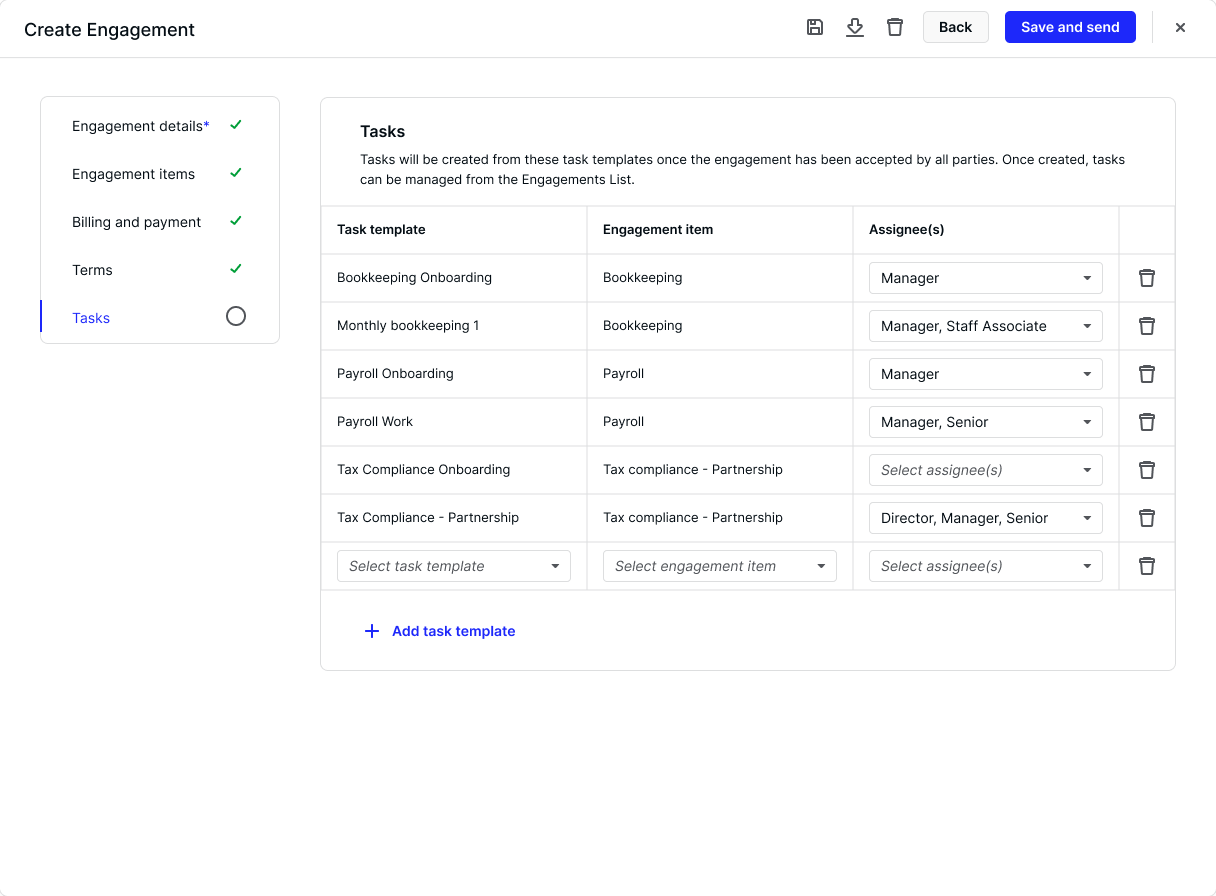
Creating a new product that encompasses Canopy’s other foundational products.

Team
3 Product Managers, 1 UX Designer
Role
UX Designer
Project Length
15 months
Canopy’s products are siloed, leaving gaps in customers practice management flow and under-utilizing product synergy. Create a product that bridges the gap between products and also addresses current workflow structure issues.
What Are Our Users Saying?
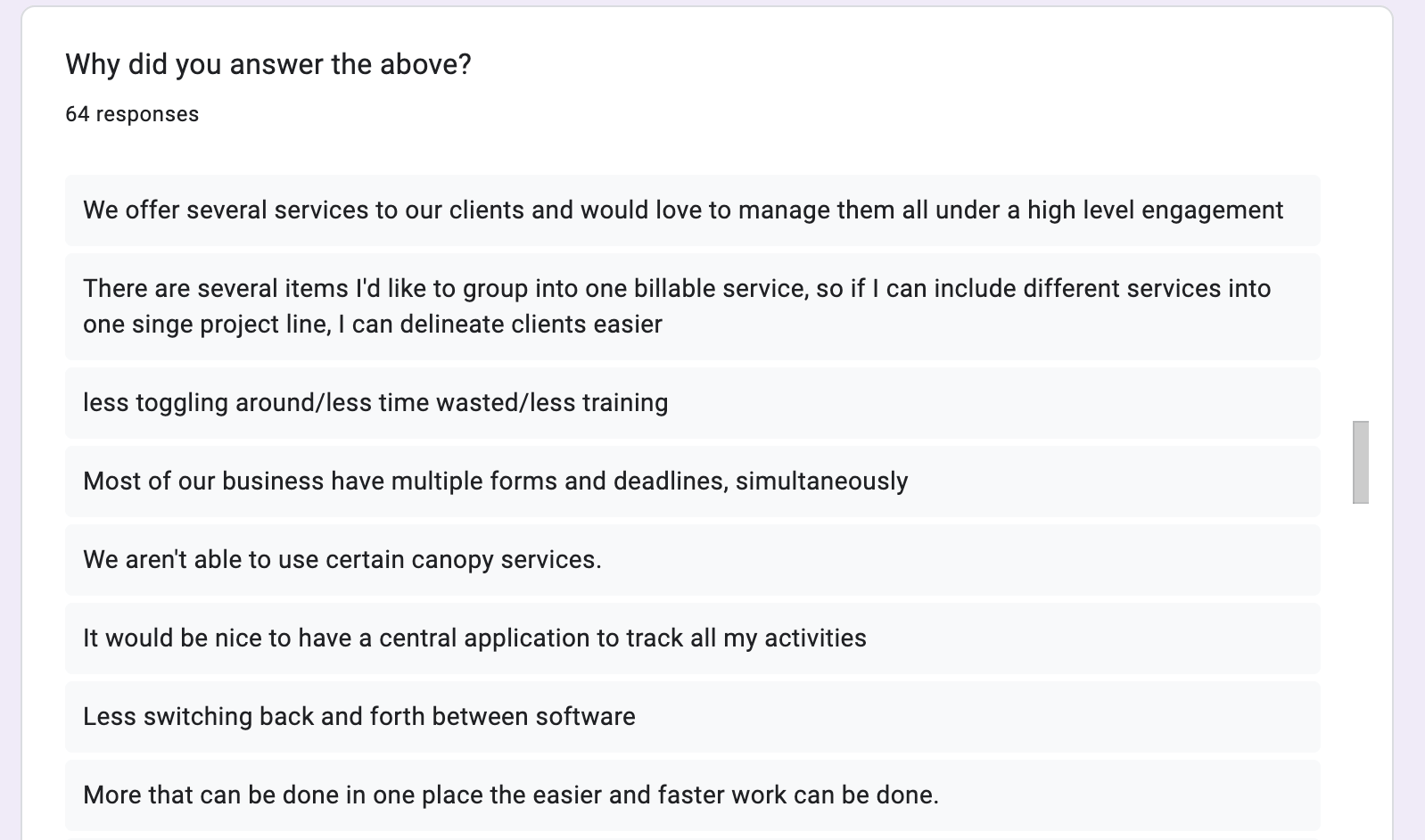
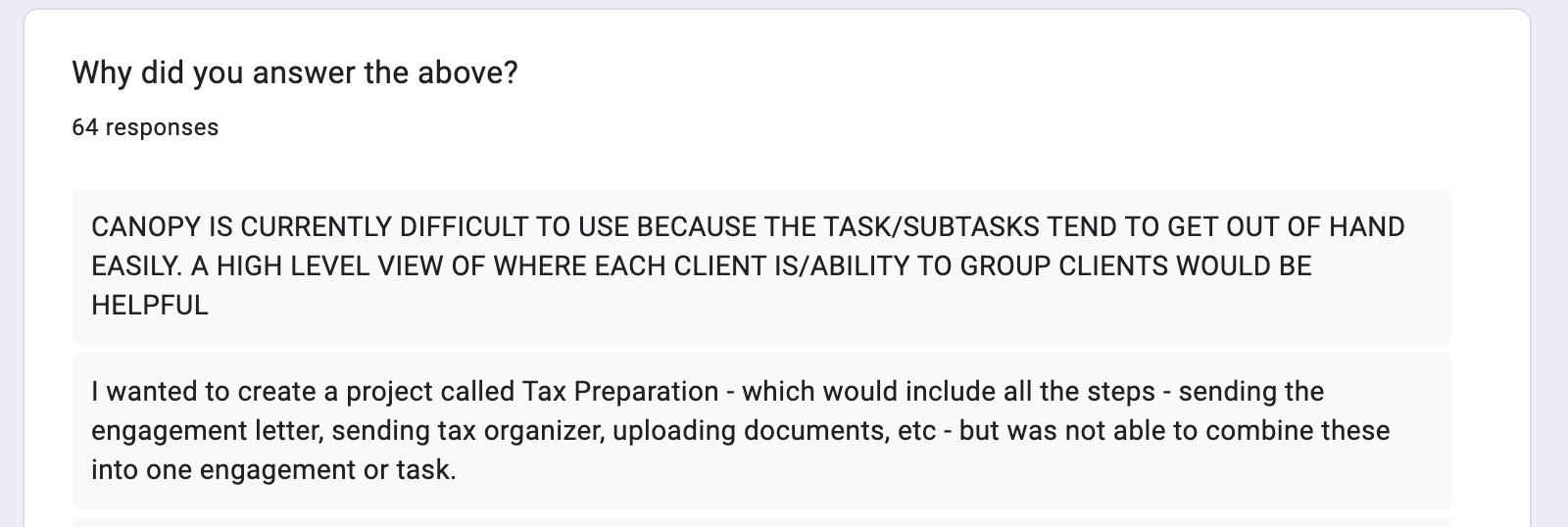
Discovery included months of pouring over user feedback sourced via UserVoice, past customer calls, and product forums.
My product manager and I gathered additional info by surveying customers to understand their needs and then followed up with some survey participants on user calls.
Our discovery also included a big effort to gather info from cross functional teams across the company. We talked to customer support and sales to learn what knowledge they had of product gaps. We also talked with and eventually teamed up with the product managers over the billing product and the mobile app to learn from them.
How Will it All Connect?
Because of the undertaking that creating this large new product would be, there was a lot of work to do before I could start putting designs together. This included creating a high-level user journey map and in-depth user journey maps of the specific flows to take our learnings from the research so we can sufficiently understand what the product needed to accomplish.
From the high level

To the granular

This new product would build upon our current products, so I also mapped out how the product architecture should be designed and what product teams would own which areas of the product.
Designing the architecture of current products with what would become our new product
Evolving ideas
We also refined our ideas with the team and detailed out questions were still outstanding. Before wireframing, I also sketched out ideas to get ideas out of my head and onto paper.
From scrappy sketches
to wireframes,

low fidelity designs,
And finaly into high fidelity designs


What Did I Learn?
Building a new product, and one that will incorporate existing products is nothing short of complicated. Here are a couple of my takeaways.
1
Break MVP into smaller pieces
2
Get all developers involved earlier
An Engaging Product
“I switched to Canopy because they were able to offer all the services I needed for my practice in one application...They provide smple to use solutions for [client management], communication, client portal, and workflow management.”

Danny N.
Client testimonial | getcanopy.com
“Canopy is a great tool for all-in-one tracking of client relations, tasking, workflow, and running a CPA firm. Contact information, notes, tasks, important contacts related to the client, recent files, engagements - all of the information right there!”
Chuck M.
Client testimonial | getcanopy.com
Although we were rushed, we were still able to deliver an impactful product that continues to be a banner offering for Canopy.
Engagements allows for Canopy’s clients to move through their workflow more efficiently and faster, meaning a more streamlined processes and quicker realization of revenue. In addition, Canopy’s clients have the added benefit of offering their clients a sophisticated experience.
And Canopy benefits from the synergy Engagements brings to all of it’s products. Allowing them to truly claim the title as an “all-in-one” solution.


Top
A Portal Residents Actually Want to Use
User Research
Mobile Design
Conservice
Next

Niccole Mumford
Milwaukee + Remote Designer
Marrying Canopy’s Products for a Synergized Experience
Creating a new product that encompasses Canopy’s other foundational products.
Team
3 Product Managers, 1 UX Designer
Role
UX Designer
Project Length
15 months
Canopy’s products are siloed, leaving gaps in customers practice management flow and under-utilizing product synergy. Create a product that bridges the gap between products and also addresses current workflow structure issues.
What Are Our Users Saying?
Discovery included months of pouring over user feedback sourced via UserVoice, past customer calls, and product forums.
My product manager and I gathered additional info by surveying customers to understand their needs and then followed up with some survey participants on user calls.
Our discovery also included a big effort to gather info from cross functional teams across the company. We talked to customer support and sales to learn what knowledge they had of product gaps. We also talked with and eventually teamed up with the product managers over the billing product and the mobile app to learn from them.
How Will it All Connect?
Because of the undertaking that creating this large new product would be, there was a lot of work to do before I could start putting designs together. This included creating a high-level user journey map and in-depth user journey maps of the specific flows to take our learnings from the research so we can sufficiently understand what the product needed to accomplish.
From the high level
To the granular
This new product would build upon our current products, so I also mapped out how the product architecture should be designed and what product teams would own which areas of the product.
Designing the architecture of current products with what would become our new product
Evolving ideas
We also refined our ideas with the team and detailed out questions were still outstanding. Before wireframing, I also sketched out ideas to get ideas out of my head and onto paper.
From scrappy sketches
to wireframes,
low fidelity designs,
And finaly into high fidelity designs
What Did I Learn?
Building a new product, and one that will incorporate existing products is nothing short of complicated. Here are a couple of my takeaways.
1
Break MVP into smaller pieces
2
Get all developers involved earlier
An Engaging Product
“I switched to Canopy because they were able to offer all the services I needed for my practice in one application...They provide smple to use solutions for [client management], communication, client portal, and workflow management.”
Danny N.
Client testimonial | getcanopy.com
“Canopy is a great tool for all-in-one tracking of client relations, tasking, workflow, and running a CPA firm. Contact information, notes, tasks, important contacts related to the client, recent files, engagements - all of the information right there!”
Chuck M.
Client testimonial | getcanopy.com
Although we were rushed, we were still able to deliver an impactful product that continues to be a banner offering for Canopy.
Engagements allows for Canopy’s clients to move through their workflow more efficiently and faster, meaning a more streamlined processes and quicker realization of revenue. In addition, Canopy’s clients have the added benefit of offering their clients a sophisticated experience.
And Canopy benefits from the synergy Engagements brings to all of it’s products. Allowing them to truly claim the title as an “all-in-one” solution.
A Portal Residents Actually Want to Use
User Research
Mobile Design
Conservice
Next Project
Niccole Mumford
Milwaukee + Remote Designer